Test setup
All results on this page come from my own laptop unless a source is named. I bought it in Bulgaria in spring 2025 for about €3,200 (EU retail, VAT included). US pricing is different, so check the current listing. I use it every day for games, coding and work.
| Component | My unit (16IAX10H, EU) | US listing 83F50053US |
|---|---|---|
| CPU | Core Ultra 9 275HX (8P + 16E) | Core Ultra 9 275HX |
| GPU | RTX 5080 Laptop 16GB, 175W max | RTX 5080 Laptop 16GB, 175W max |
| Memory | 32GB DDR5-6400 (2 × 16GB) | 32GB DDR5-6400 |
| Storage | SK Hynix 1TB (factory) + WD_BLACK SN7100 2TB I added | 1TB PCIe Gen5 NVMe |
| Display | 16" 2560×1600 240Hz OLED | 16" 2560×1600 240Hz OLED |
| Battery | 99.99Wh | 99.9Wh |
- Software: BIOS Q7CN78WW, Windows 11 Pro, NVIDIA driver 621.01, Legion Space 2.0.11.6.
- Conditions: plugged into the original charger, dGPU-only mode (MUX), G-SYNC on, October 26–27, 2026.
- Logging: HWiNFO64 8.54 recording every 2 seconds during each run, so power, clocks and temperatures are averages over the run, not single readings.
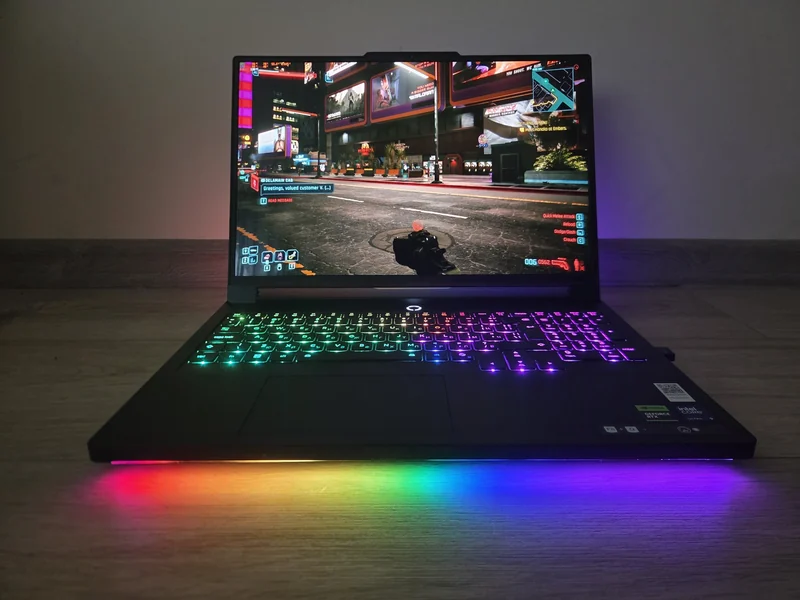
- Placement: the laptop sat raised on a cooling stand with the stand's fans switched off. The stand is visible in the photos. Raising the back helps the bottom air intakes, so a flat desk is likely to run hotter; Ultrabookreview reports noticeably lower GPU power on a flat desk.
- Noise: phone sound-meter app at 30 cm in front of the laptop. It is not calibrated, so absolute numbers may be a few dB off; the differences between modes are reliable.
- Not measured: battery life, charging speed, surface temperatures, display brightness and color accuracy (no colorimeter).
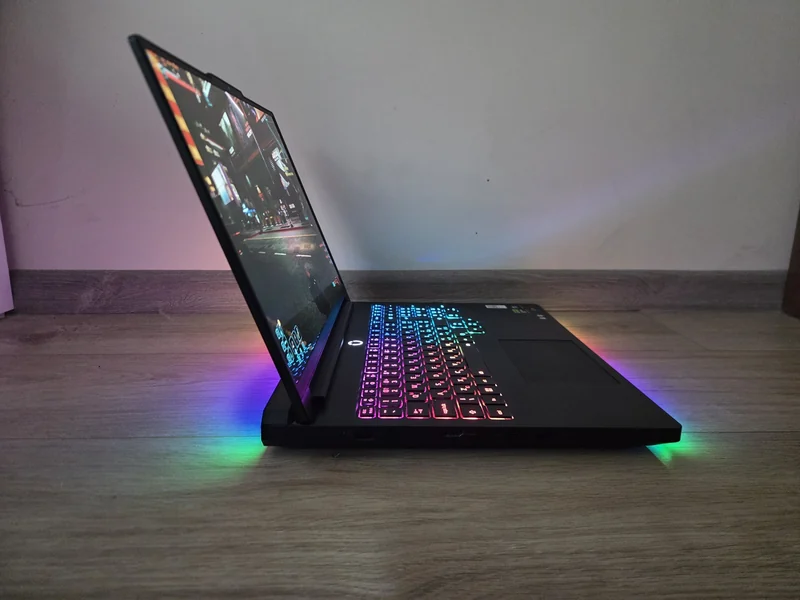
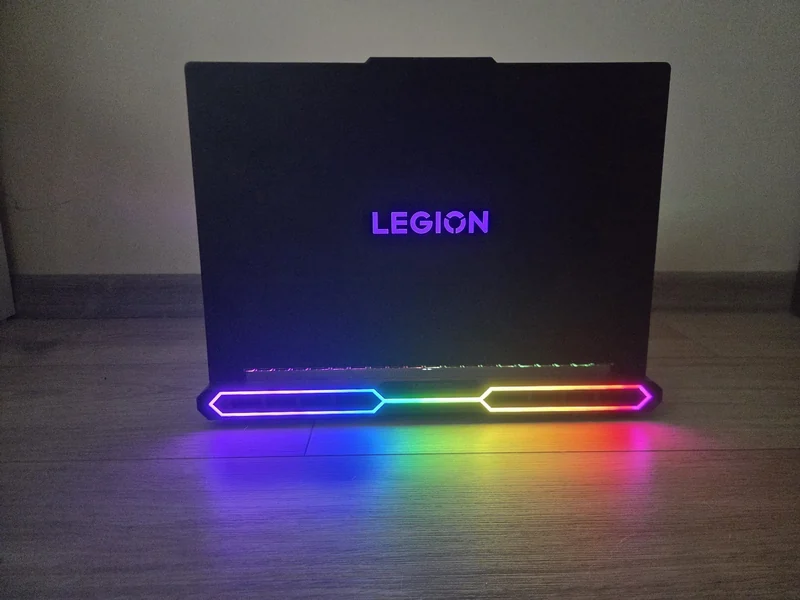
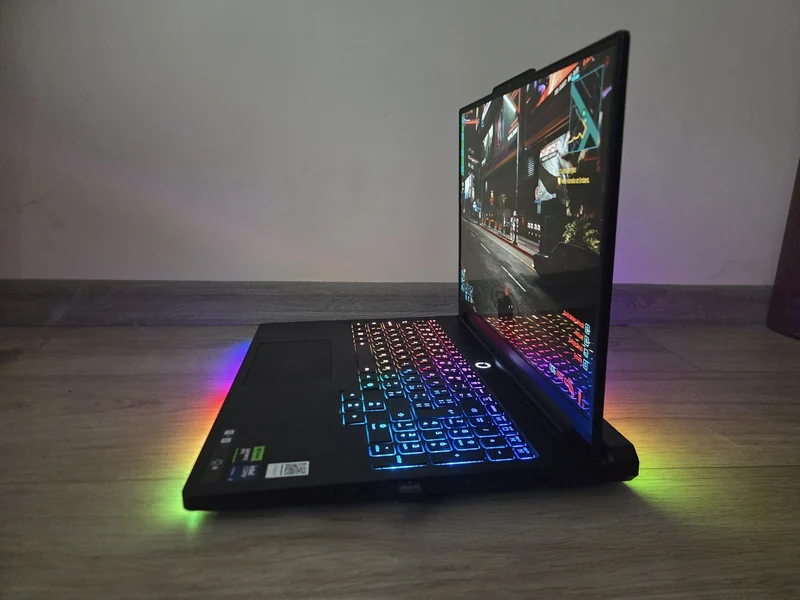
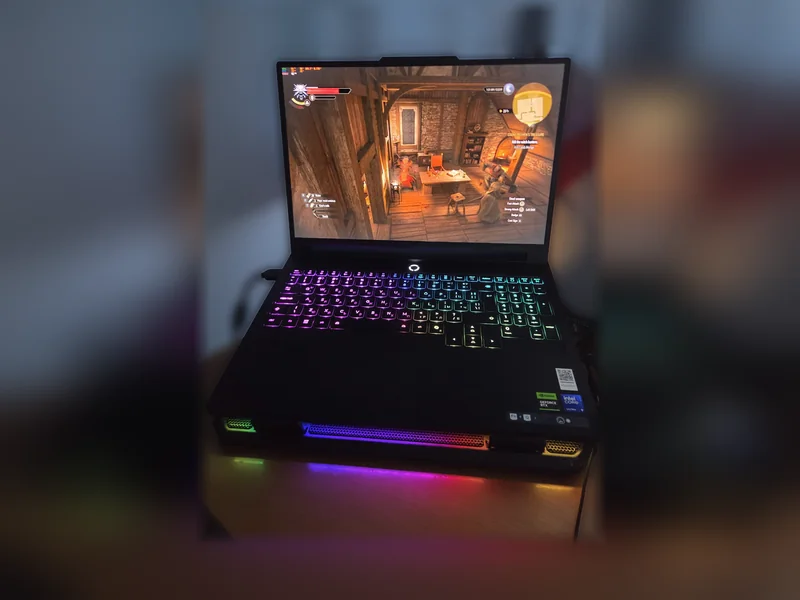
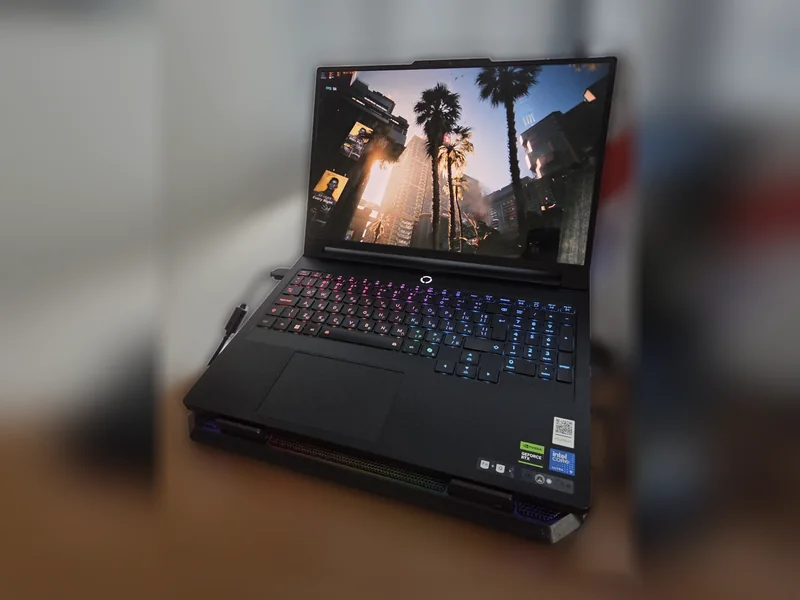
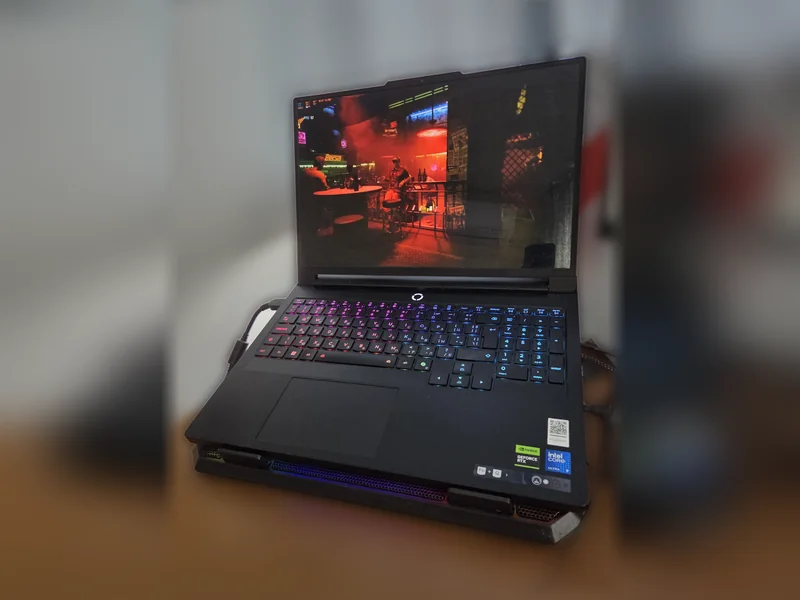
My own unit, photographed at home. The first three photos show it on its own; in the last three (background blurred) it sits on the cooling stand I used during testing, with the stand's fans off. FPS counters on screen are casual snapshots, not test results.
Performance results
Everything below was run in Performance mode at the native 2560×1600 resolution unless noted.
| Test and settings | Result |
|---|---|
| 3DMark Steel NomadSynthetic GPU test | 5,249 points (52.5 FPS). Average for the same GPU + CPU at test time: 5,277 |
| Cyberpunk 2077v2.5 benchmark · Ray Tracing: Ultra preset · DLSS Super Resolution Auto · frame generation off | 80.6 FPS average · 71.7 minimum · 91.1 maximum |
| Black Myth: WukongBenchmark tool · Cinematic · DLSS 67% · frame generation off | 67 FPS average · 58 FPS 5% low · 7.1GB VRAM |
| Black Myth: WukongBenchmark tool · Cinematic · DLSS 67% · frame generation on | 108–111 FPS average · 97–100 FPS 5% low |
| Cinebench 2026 CPU multi-core10-min run | 5,516 points |
| Cinebench 2026 CPU single-core | 474 points |
| Cinebench 2026 GPURedshift renderer | 54,312 points |
Frame generation adds 61–66% to the Wukong average, but the 67 FPS result without it is the better guide to how the game feels. In Cinebench the CPU starts at 139W, then Lenovo's power limit drops it to 75W after about three minutes and the running score falls by roughly 10%. That is the number to expect for long renders or compiles.
Performance, Balanced and Quiet compared
Legion Space has three main power modes. This is the part most buyers never see measured, and the differences are large.
Black Myth: Wukong, average FPS higher is better
Noise above a 28 dB room shorter is quieter
Wukong: Cinematic, DLSS 67%, frame generation on; Performance is shown at the middle of its 108–111 FPS range. Noise bars measure from the 28 dB room level. Full numbers are in the table below.
| Performance | Balanced | Quiet | |
|---|---|---|---|
| 3DMark Steel Nomad | 5,249 | 3,950 (−25%) | 3,455 (−34%) |
| Wukong average / 5% low | 108–111 / 97–100 FPS | 81 / 73 FPS | 69 / 62 FPS |
| Cyberpunk 2077 RT Ultra average / min (FG off) | 80.6 / 71.7 FPS | 56.7 / 46.4 FPS | not run |
| GPU power (Wukong average) | 159W | 89W | 68W |
| GPU clock (Wukong average) | ~2,510 MHz | ~1,880 MHz | ~1,590 MHz |
| GPU temperature (average / max) | 85 / 87 °C | 72 / 87* °C | 67 / 69 °C |
| CPU package power (Wukong average) | 65W | 46W | 22W |
| CPU temperature (average / max) | 100 / 105 °C | 88 / 101 °C | 71 / 96 °C |
| Noise at 30 cm (room: 28.0 dB) | 47.8 dB | 42.0 dB | 34.4 dB |
* Balanced maximums include the first seconds after switching from Performance mode.
Quiet mode is genuinely usable. It keeps 66% of the Performance-mode Steel Nomad score while using 44% of the GPU power, and still runs Wukong at 69 FPS with frame generation. At 34 dB it is only about 6 dB above my quiet room.
Balanced gives up about a quarter of the performance to cut noise by 5.8 dB, which sounds roughly half as loud. It is a sensible middle ground for lighter games.
Update: Silent Performance Mode and a Cool CPU profile
After publishing this review I tested two ways to tune the power modes. A BIOS option, Configuration › Performance Tuning › Silent Performance Mode, raises Balanced mode's GPU limit from about 85–95W to about 146–162W. A Legion Space Custom profile with lower CPU limits does the opposite and keeps the processor cool. All four modes below were run on the same day with the same settings.
| Mode | Average / min FPS | CPU temp (avg / max) | GPU power |
|---|---|---|---|
| Balanced | 58.2 / 51.0 | 79 / 89 °C | 85W |
| Custom "Cool CPU" | 58.8 / 52.3 | 75 / 80 °C | 90W |
| Balanced + Silent Performance | 76.0 / 67.7 | 83 / 99 °C | 146W |
| Performance | 80.4 / 72.0 | 94 / 104 °C | 161W |
These runs are separate from the October 26–27 table above, so compare within each table rather than across them.
Silent Performance gives 95% of Performance mode's frame rate with the CPU 11 °C cooler and, in Wukong, only about 2.5 dB more noise than standard Balanced. The Cool CPU profile keeps Balanced-level frame rates with the coolest CPU of any setting. Silent Performance vs Custom mode: exact settings and full results → For every other option in the app, see Legion Space settings explained.
Heat and noise
The GPU delivers its rated power. Steel Nomad averaged 172W in Performance mode. In a long Wukong session the GPU starts near 171W while cool. After about six minutes it reaches its 87 °C temperature target and settles around 160W. That costs about 3% (111 to 108 FPS): small, but measurable.
The CPU runs at its limit. In Performance mode the processor averages 100 °C while gaming, peaks at 105 °C, and reports Intel thermal-throttle flags most of the time. In GPU-heavy games the effect on frame rate is minor, but if you care about CPU temperatures, Balanced mode brings the average down to 88 °C.
Noise: 47.8 dB in Performance mode is clearly loud. Balanced (42 dB) and Quiet (34.4 dB) are much easier to live with. Other reviewers also describe a high-pitched tone under load.
Keyboard heat: in my experience the WASD keys and palm rests do not get very warm while gaming, but I have not measured surface temperatures. Ultrabookreview reports a hotspot near 60 °C around the power button on a flat desk.
Living with it for 18 months
Display. The OLED is the highlight of daily use, with flawless colors. The only drawback is glare: the glossy panel reflects direct sunlight. I would not call it a problem indoors, but you notice it near a window. Lenovo lists 500 nits typical brightness and 1,100 nits peak; I have no colorimeter, so I have not measured it.
Keyboard and touchpad. Very responsive, with solid keys and good per-key RGB backlighting. The touchpad is very responsive in my use, although PCWorld found it small for the chassis and placed too far left, which caused accidental right-clicks for them.
Speakers and webcam. The sound is good but not the best in this class. Ultrabookreview rates the webcam as decent only in good light.
Upgrades. I added a 2TB WD_BLACK SN7100 to the second M.2 slot; it works without issues. Memory uses two DDR5 slots. See the upgrade notes below before buying RAM.
What I do not like. Honestly, very little: the sound could be better and the screen catches glare in bright light. The test data add two points I would not notice in daily use: the hot CPU in Performance mode and the small GPU slowdown once it warms up.
Would I buy it again? Yes, definitely.
Specifications (US Amazon listing)
| GPU | RTX 5080 16GB GDDR7 · 175W TGP |
| CPU | Intel Core Ultra 9 275HX · 24 cores · up to 5.4GHz |
| RAM | 32GB DDR5-6400 · upgradeable |
| Storage | 1TB PCIe Gen5 NVMe |
| Display | 16" 2560×1600 OLED 240Hz · 500 nits · DisplayHDR True Black 1000 |
| Weight | 2.71kg |
| Battery | 99.9Wh |
| Price | Check current retailer price |
Display, chassis and battery details were rechecked on September 28, 2026 against Lenovo's 83F50053US product page and the 16IAX10H PSREF.
RAM and SSD Upgrade Guide
The 83F50053US starts with 32GB DDR5-6400 and a 1TB PCIe 5.0 NVMe SSD. Lenovo's 16IAX10H platform specification lists two DDR5-6400 CSODIMM slots with configurations offered up to 64GB. CSODIMM is an important compatibility detail: do not assume every conventional DDR5 SO-DIMM kit is an equivalent replacement.
| Component | Verified platform path | Practical recommendation |
|---|---|---|
| Memory | 2x DDR5 CSODIMM slots; DDR5-6400; up to 64GB Lenovo offering | Keep the matched 32GB configuration for gaming. For 64GB, use a 2x32GB CSODIMM kit explicitly qualified for the Legion Pro 7 16IAX10H. |
| Storage | One M.2 2280 PCIe 5.0 x4 slot and one M.2 2280 PCIe 4.0 x4 slot | The simplest capacity upgrade is a second M.2 drive, as I did with a 2TB WD_BLACK SN7100; keep the factory drive as the system disk. |
See the laptop DDR5 guide for the SO-DIMM/CSODIMM distinction and verify the latest details in Lenovo's official PSREF.
Choose one matched 2x32GB kit and replace both factory modules. The DDR5-5600 SO-DIMM option is the lower-cost path and is expected to run at up to 5600 MT/s; the Crucial CT2K32G64C52CS5 CSODIMM search targets the 2x32GB DDR5-6400 kit. Do not mix SO-DIMM and CSODIMM modules, and confirm the exact part number before purchase.
Battery Life
Lenovo lists 99.9Wh, just under the usual 100Wh carry-on limit. I have not run a battery test yet. Other reviewers report about three hours of light use or streaming (PCWorld, Ultrabookreview) and a little under six hours in PCWorld's local video test. Treat it as a desk machine that survives a meeting or a short trip, not a full workday.
What other reviewers found
These are third-party findings, paraphrased and attributed. I note where my unit agrees or differs.
- Placement matters (Ultrabookreview): on a flat desk the GPU averaged about 130–150W in Performance mode, versus 160–170W raised on a stand. My results on a raised stand (159–172W) match their stand figures, so expect less on a flat desk.
- Weight and power brick (PCWorld, Ultrabookreview): about 2.65 kg, just over an inch thick, with a 400W adapter that weighs about 1.2 kg.
- Fan noise (PCWorld, Ultrabookreview): loud under load with a high-pitched tone; Ultrabookreview lists about 45–46 dBA in Performance mode. My phone reading was 47.8 dB at 30 cm.
- Glare (PCWorld, Ultrabookreview): reflections in bright rooms. This matches my only display complaint.
- Missing features (PCWorld, Ultrabookreview): no SD card reader, no fingerprint reader, no IR camera for Windows Hello and no Thunderbolt 5.
- Hinge and ports (Ultrabookreview): the screen opens to about 145°, and all ports are on the sides.
- Fingerprints (Ultrabookreview): the matte black finish shows smudges easily, which my photos confirm.
- USB-C charging (Ultrabookreview): about 80W from the wall, with CPU and GPU heavily limited. Use the barrel charger for gaming.
- Generational gain (PCWorld, Ultrabookreview): the RTX 5080 is roughly 5–15% faster than the previous RTX 4080 in raster games, so owners of the last generation have little reason to upgrade.
- RTX 5080 reaches its 175W rating (172W average in Steel Nomad)
- Excellent 240Hz OLED with flawless colors
- Quiet mode keeps 66% of GPU performance at 34 dB
- BIOS Silent Performance Mode gives 95% of Performance-mode FPS in Balanced
- Responsive keyboard with solid keys and good RGB
- Second M.2 slot and two RAM slots for upgrades
- CPU sits at 100–105 °C in Performance mode
- GPU power drops about 6% (FPS about 3%) once it reaches 87 °C
- Loud in Performance mode (47.8 dB at 30 cm)
- Glossy screen reflects direct sunlight
- Heavy, with a large 400W brick and short battery life
Benchmark context
Published results from other reviewers, for comparison with mine. Notebookcheck tested the same 16IAX10H configuration with different settings, so compare like with like.
Related test configuration: 2025 Lenovo Legion Pro 7i · Core Ultra 9 275HX · RTX 5080 · 160–175W. Memory, storage and regional retail match are unconfirmed.
| Time Spy Graphics | 23,074 |
|---|---|
| Steel Nomad | 5,405 |
Jarrod’s Tech, checked September 15, 2026: single runs, maximum performance/fans, plugged in. These are points, not FPS or exact-retail measurements. My unit's 5,249 Steel Nomad in standard Performance mode is about 3% lower than this maximum-fan run.
Sources
- Hands-on results: the author's own Legion Pro 7i Gen 10 (16IAX10H), HWiNFO64 logs, October 26–27, 2026.
- PCWorld — Lenovo Legion Pro 7i Gen 10 review
- Ultrabookreview — Lenovo Legion Pro 7i Gen 10 review
- Notebookcheck — Legion Pro 7i 16 Gen 10 review (comparison benchmarks)
- Lenovo PSREF — Legion Pro 7 16IAX10H
The buying verdict
Is Lenovo Legion Pro 7i right for you?
Choose it for
A desk setup where you want a full-power RTX 5080, an excellent OLED and the option of a quiet mode that still plays well.
Consider another option if
You carry your laptop every day, need long battery life, or already own an RTX 4080 laptop.
FRAMELIMIT may earn a commission from qualifying purchases at no extra cost to you.