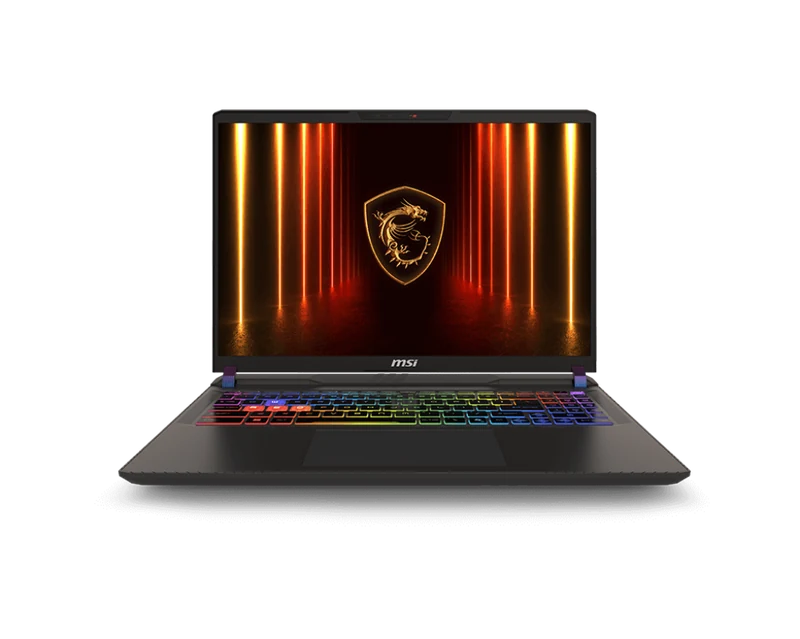
Overview
Short answer: the MSI Vector 16 HX AI A2XWIG-058US is worth considering when a 175W RTX 5080 specification, Thunderbolt connectivity, and upgradeable memory matter more than an OLED display or thin-and-light portability. It sits between MSI's larger Raider 18 and the mid-range Katana lineup, but matching power limits alone do not guarantee matching gaming performance.
The RTX 5080 configuration supports up to 175W Maximum Graphics Power with Dynamic Boost according to MSI. Actual sustained power depends on workload, firmware, power mode, and the combined CPU/GPU thermal budget.
The Vector 16's value depends on the exact A2XWIG configuration and current retailer price. Compare the live offer with the Legion Pro 7i and Omen Max rather than relying on an old reference-price gap.
Full Specifications
| GPU | NVIDIA GeForce RTX 5080 16GB GDDR7 — up to 175W |
| CPU | Intel Core Ultra 9 275HX (24-core, up to 5.4GHz) |
| RAM | 32GB DDR5-5600 installed; two sockets, up to 96GB platform support |
| Storage | 2TB NVMe in the A2XWIG-058US configuration (2x M.2 slots available) |
| Display | 16.0" QHD (2560x1600) IPS 240Hz, 500-nit, 100% DCI-P3 |
| Battery | 90Wh |
| Weight | 2.7kg |
| Ports | Thunderbolt 4 x2, USB-A x3, HDMI 2.1, 2.5GbE LAN, 3.5mm combo |
| Connectivity | Wi-Fi 7, Bluetooth 5.4 |
| Keyboard | Per-key RGB, 1.7mm travel |
| OS | Windows 11 Home |
Display Quality
The 16-inch QHD IPS panel at 240Hz is good but not exceptional. It covers 100% DCI-P3 and peaks at 500 nits — perfectly adequate for indoor use. Compared to the OLED panels in the Legion Pro 7i and Zephyrus G16, black levels are weaker and the image has a slight grey haze in dark scenes.
For competitive gaming at 240Hz, the IPS panel is excellent. Response time is 3ms, which is effectively imperceptible. If accurate colors and cinematic HDR are important to you, look at OLED alternatives. If frame rates and 1440p sharpness are your priority, this display delivers.
RAM and SSD Upgrade Guide
The A2XWIG-058US is configured with 32GB (2x16GB) DDR5-5600 and a 2TB PCIe 4.0 NVMe SSD. MSI's A2XW platform specification lists two memory sockets, up to 96GB, and memory support up to DDR5-6400. That platform maximum should not be confused with the speed of the factory modules in this US SKU.
| Component | Verified platform path | Practical recommendation |
|---|---|---|
| Memory | 2x DDR5 SO-DIMM sockets; up to 96GB; up to DDR5-6400 | Keep 32GB for gaming. Use a matched, model-qualified 2x32GB kit for heavy creation work; use 2x48GB only after explicit compatibility confirmation. |
| Storage | One PCIe 4.0 M.2 slot and one PCIe 5.0 M.2 slot | Add a second M.2 drive instead of replacing the factory 2TB SSD when capacity is the goal. Verify slot occupancy and heatsink clearance first. |
Start with the DDR5 SO-DIMM buying guide, then confirm the kit against the Kingston A2XW compatibility list. Primary specifications: MSI A2XW platform and MSI US configurations.
Confirm the exact RAM part number in Kingston's A2XW compatibility list before purchase. The SSD link is the bare M.2 2280 model without a tall desktop heatsink.
Gaming Performance and Benchmarks
The previous table lacked sufficient exact-SKU attribution for every FPS value. It is suppressed until resolution, preset, power profile, upscaling, Frame Generation, and source all match this configuration.
Thermals and Cooling Evidence
Fitting a full-power RTX 5080 and a 275HX CPU into a 16-inch chassis creates a demanding thermal load. Sustained clocks and fan noise depend on the selected MSI performance profile and combined CPU/GPU workload.
FRAMELIMIT has not completed a controlled thermal or acoustic test of this exact retail configuration. No temperature, fan-noise, or throttling figure is therefore presented as a FRAMELIMIT measurement; matching publisher results must retain their own profile, firmware, ambient, and workload conditions.
Buyers who plan sustained combined CPU/GPU work should compare matched power, temperature, and noise measurements rather than infer cooling performance from chassis size alone.
Battery Life
The Vector 16 HX AI uses a 90Wh battery. Published testing identifies battery life as a weakness, so it should be treated as a plugged-in performance machine rather than an all-day productivity laptop.
Final Verdict
Compare it with the HP Omen Max 16 B64BNUA review for the exact-SKU head-to-head, or the Lenovo Legion Pro 7i Gen 10, another full-power RTX 5080 option with an OLED display.