Memory context: RTX 5090 Laptop GPUs use 24GB GDDR7. Our gaming laptop VRAM guide explains when that capacity is useful and when it is unnecessary.
Is the RTX 5090 Actually Worth It?
The RTX 5090 laptop GPU sits above the RTX 5080, but the actual gap depends on TGP, chassis cooling, resolution, preset, and workload. The linked datasets retain those variables instead of presenting one universal FPS uplift. DLSS Multi Frame Generation results are reported separately from rendered FPS.
The RTX 5090 tier is most relevant for native 4K, demanding ray tracing, large GPU workloads, and buyers prioritizing the highest available mobile GPU tier. For 1440p gaming, compare exact RTX 5080 and RTX 5090 datasets before paying the premium; TGP and chassis design can materially change the result.
4K gamers, Cyberpunk Path Tracing enthusiasts, professionals who render GPU workloads, or buyers who simply want the highest mobile GPU tier. At 1440p, an RTX 5080 configuration may offer better value; compare matching sourced rows and current prices.
Why TGP Still Matters at RTX 5090
The desktop-replacement models here target 175W, while the thinner Blade 16 reaches up to 165W. Treat TGP as a configuration field, not a guarantee of identical sustained performance; firmware, cooling, and performance mode still matter.
Published Benchmark Evidence — RTX 5090 Laptops
The linked datasets preserve exact source settings and separate native, upscaled, and generated-frame results. Models without an exact dataset remain specification-only and receive no invented FPS.
| Laptop | TGP | Evidence | Coverage |
|---|---|---|---|
| ASUS SCAR 18 | 175W | Exact sourced dataset | Gaming and synthetic rows |
| Razer Blade 16 EN9 | 165W max | Related 32GB RZ09-0581-family dataset | Unranked; memory configuration differs |
| Alienware 18 Area-51 | 175W | Exact sourced dataset | Gaming and synthetic rows |
| MSI Titan 18 | 175W | Specifications only | No exact dataset published |
Legacy comparison: 1440p with DLSS Super Resolution Quality where identified; 4K rows are native where stated. Frame generation is excluded unless labelled.
The evidence table is an index, not a normalized leaderboard. Compare only rows with matching games, settings, resolution, and rendering mode; otherwise use the results to understand each configuration rather than to claim a precise percentage gap.
ASUS ROG Strix SCAR 18 — Evidence-Backed MiniLED Option
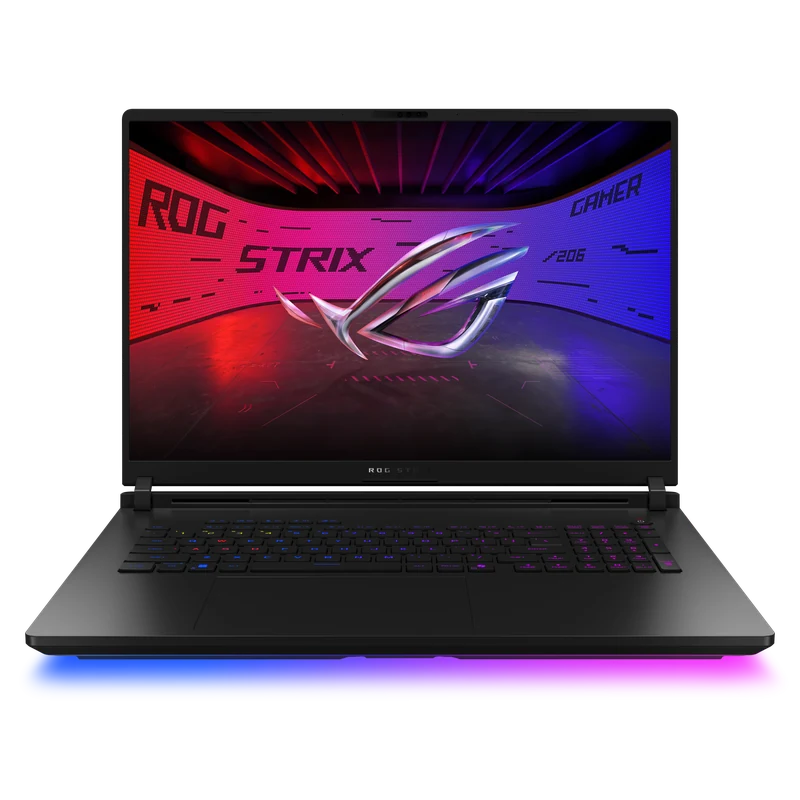
The SCAR 18 pairs an end-to-end vapor chamber with liquid metal on the CPU and GPU. Published sustained-load tests show strong thermal and clock behavior for its 175W power class, although results vary by mode and environment. Its 18-inch Mini LED specification with over 2,000 dimming zones (ASUS), 2560×1600 resolution, 240Hz refresh rate, and tool-less component access make it a strong flagship candidate. Choose the Titan when its 4K display is the priority, the Area-51 for an upgradeable 300Hz desktop replacement, or the Blade 16 for portability.
- Exact-configuration benchmark evidence
- Liquid metal cooling on CPU and GPU
- 2,048-zone MiniLED 240Hz specification
- Tool-less RAM and SSD access
- Upgradeable memory and storage
- 3.3kg — desk machine only
- 90Wh capacity does not make it travel-friendly
- Loud fans under full load
- Substantial premium over less display-focused alternatives
Alienware 18 Area-51 — Upgradeable 300Hz Alternative
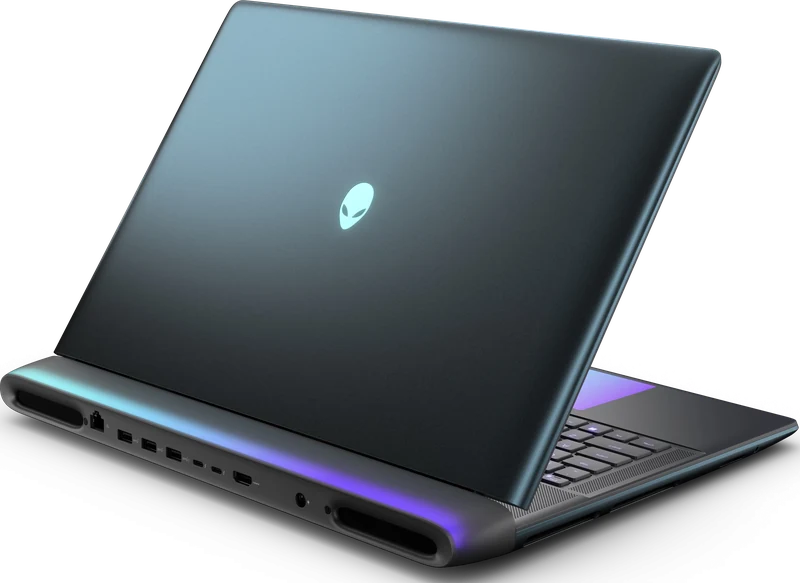
Choose the Area-51 for its full-power RTX 5090 configuration, 300Hz display, and upgradeable desktop-replacement design. Its exact sourced dataset is published separately; the weight and large footprint make it unsuitable for frequent travel.
Amazon listing under review: the linked page now shows an RTX 5080 configuration Sourced Benchmark Review →Razer Blade 16 EN9 — Portable OLED Alternative (Unranked)
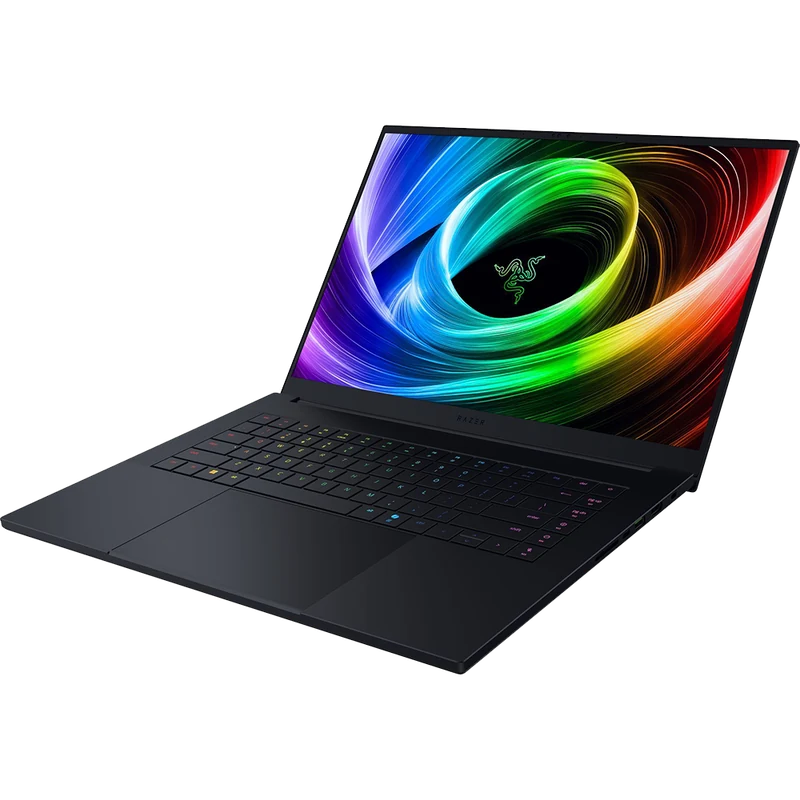
The Blade 16 trades power headroom and upgradeable memory for a lighter CNC chassis and OLED display. The exact EN9 retail configuration remains unranked because the available independent evidence uses a related 32GB RZ09-0581-family review unit.
Check price on Amazon → Sourced Benchmark Review →MSI Titan 18 HX AI — 4K Specification Alternative (Unranked)
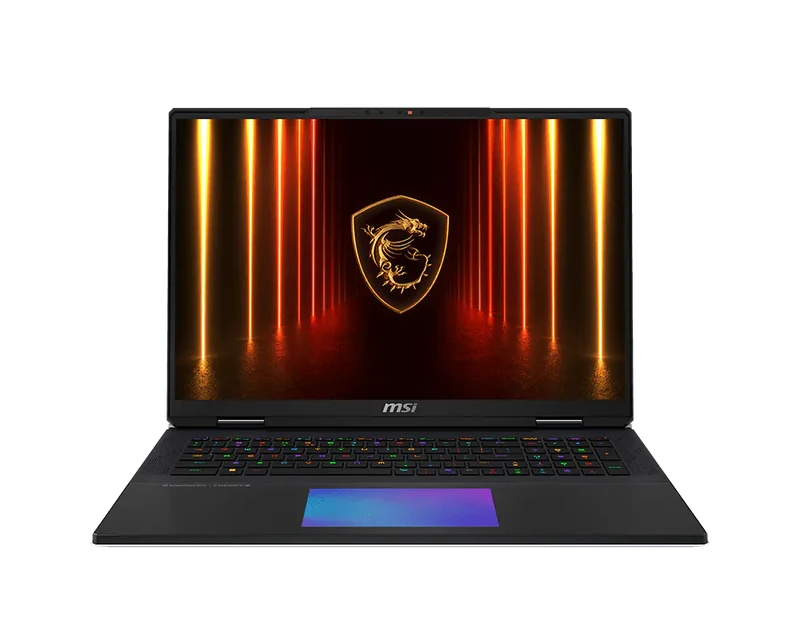
The checked Titan configuration pairs a 175W RTX 5090 with a 3840×2400 Mini-LED 120Hz display, Cherry MX keyboard, 64GB memory, and 6TB storage. Those features make it a specialized desktop replacement, but it remains unranked because this guide does not yet publish an exact benchmark dataset for the configuration.
- 3840×2400 Mini-LED display with RTX 5090
- Cherry MX mechanical keyboard
- RTX 5090 175W — no GPU compromise
- Slightly lighter than SCAR 18 at 3.0kg
- 120Hz ceiling — slowest refresh in this guide
- Large, specialized desktop-replacement design
- No exact benchmark dataset currently published here
Full Comparison
| Laptop | GPU power | Display | Benchmark evidence | Weight |
|---|---|---|---|---|
| ASUS SCAR 18 | 175W | MiniLED 240Hz | Exact sourced dataset | 3.3kg |
| Alienware 18 Area-51 | 175W | QHD+ 300Hz IPS | Exact sourced dataset | 4.34kg |
| Razer Blade 16 EN9 | 165W max | OLED 240Hz | Related 32GB family dataset | 2.14kg |
| MSI Titan 18 HX AI | 175W | 4K 120Hz Mini-LED | Specifications only | 3.6kg |
Which RTX 5090 Laptop Should You Buy?
Start with the ASUS SCAR 18 when a 240Hz MiniLED display and exact-configuration sourced results are the priority. Verify its live checkout price.
Compare the Alienware 18 Area-51 when upgradeability and a 300Hz display matter more than weight. Check the exact retailer configuration and current price.
Consider the Razer Blade 16 EN9 for the 2.14kg chassis and 240Hz OLED, while treating it as unranked until exact 64GB-SKU evidence is available.
Consider the MSI Titan 18 for its 3840×2400 Mini-LED display and Cherry MX keyboard, but keep it unranked while evidence remains specifications-only.
Do not apply one percentage uplift across every game. Compare matching native or matching upscaled rows at the same resolution and preset. The RTX 5080 guide links its exact evidence so the price premium can be judged against comparable workloads.