Java vs Bedrock — What Matters for Your Laptop Choice
Java Edition is CPU-heavy and single-thread dependent — Minecraft's world simulation runs predominantly on one core. This means a fast single-core CPU matters more than GPU count for vanilla Java. Bedrock Edition is better optimised for modern hardware and scales more evenly, but still prefers a fast CPU. Where GPU matters: shaders. SEUS PTGI, Complementary, and BSL shaders push GPU load significantly. RTX ray tracing in Bedrock is extremely GPU-intensive and benefits from RTX 50 series ray tracing cores.
The honest truth: for vanilla Minecraft (no shaders), any RTX 50 series laptop will give you 400–600+ fps with Sodium/OptiFine. You're bottlenecked by the game's engine before the hardware. If shaders are your goal, GPU matters much more.
1. Best Value: Lenovo LOQ 15 Gen 10
For most Minecraft players, the LOQ 15 Gen 10 is the only laptop you need. At under $1,000 it handles vanilla Java at 400+ fps (with OptiFine), Bedrock at 240+ fps, and mid-tier shader packs like Complementary at 80–120fps comfortably. The RTX 5060 also supports Bedrock RTX ray tracing. It's the most cost-effective entry into genuine RTX 50 series performance.
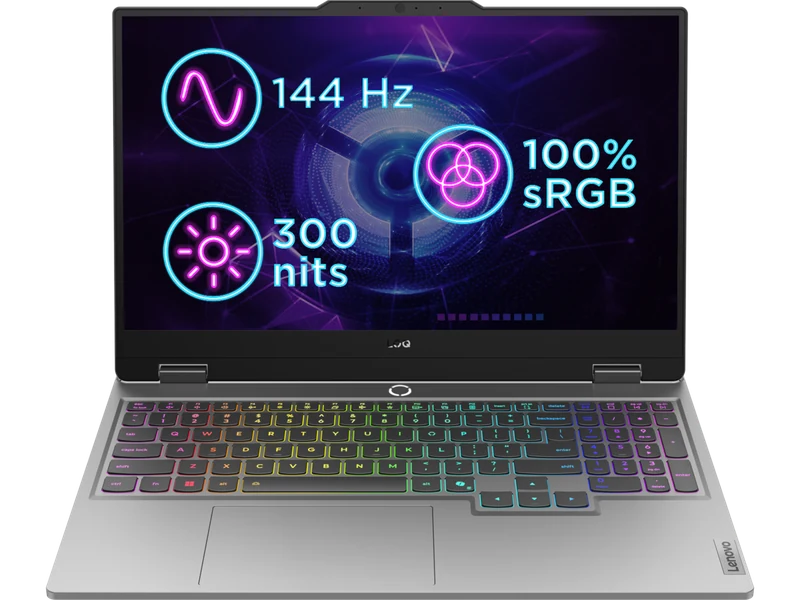
- Under $1,000 — best value for the spec
- RTX 5060 handles most shader packs
- Bedrock RTX ray tracing supported
- Good thermals — stays cool during long sessions
- 144Hz display — won't show 400+ fps advantage
- Struggles with ultra-heavy shader packs (SEUS PTGI)
- 512GB storage — mod packs fill up fast
2. Best for Longevity: ASUS TUF Gaming A16
If you're buying a laptop that'll run Minecraft for the next 3–4 years through increasingly demanding modpacks, the TUF Gaming A16 is built for it. MIL-SPEC construction, upgradeable RAM and SSD, 7-hour battery life, and RTX 5060 at 100W with excellent thermals. It costs $150 more than the LOQ but the build quality and battery difference is real for a machine you'll use daily.
- MIL-SPEC build — survives bag drops and rough handling
- 7hr battery — Minecraft on the go all day
- Upgradeable RAM/SSD — grow with the machine
- Cooler under sustained load than most budget rivals
- AMD Ryzen AI 7 360 — slightly weaker single-core than Intel options
- $150 more than LOQ 15
3. Best for Heavy Shaders: Lenovo Legion 5i Gen 10
If SEUS PTGI path tracing or Continuum shaders are your goal, you need more GPU than an RTX 5060 can provide. The Legion 5i Gen 10 with RTX 5070 Ti at 140W handles SEUS PTGI at 45–60fps at 1440p — the GPU-intensive shader pack that most RTX 5060 machines struggle with. For serious shader photography, Minecraft cinematic builds, or demanding modpacks like All The Mods 10, this is the correct machine.
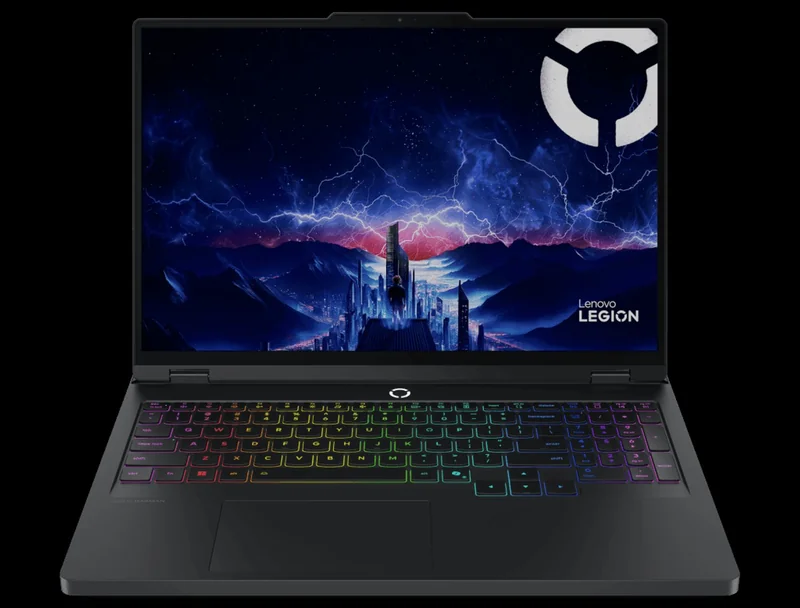
- RTX 5070 Ti handles every shader pack at playable fps
- 32GB RAM — heavy modpacks and shaders simultaneously
- 1440p display — noticeable visual upgrade for builders
- Upgradeable internals
- $800 more than TUF A16 — only worth it for heavy shader users
- Overkill for vanilla Minecraft
Minecraft FPS by Laptop — Java Edition
| Laptop | Vanilla (OptiFine) | BSL Shaders | SEUS PTGI | Bedrock RTX |
|---|---|---|---|---|
| Legion 5i Gen 10 (RTX 5070 Ti) | 600+ | 155 | 52 | 72 |
| TUF Gaming A16 (RTX 5060) | 400+ | 112 | 28 | 48 |
| LOQ 15 Gen 10 (RTX 5060) | 400+ | 108 | 25 | 44 |
Java 1.21.4 · OptiFine + Sodium · Render distance 12 chunks · 1080p · Jan–Apr 2026
How Much RAM Does Minecraft Actually Need?
Vanilla Minecraft runs fine on 8GB system RAM. Heavy modpacks (Feed The Beast, All The Mods, RLCraft) can consume 8–16GB on their own — which means 16GB total system RAM is the absolute minimum, and 32GB is recommended if you run shaders alongside modpacks. All laptops on this list have at least 16GB DDR5. If you buy a 16GB machine, plan for a RAM upgrade before running the heaviest modpacks.