What Actually Matters for a College Gaming Laptop
Students have different priorities to enthusiasts. After testing hundreds of laptops, the order of importance for college use is: battery life, weight, build durability, then gaming performance. A laptop that gets 8 hours in lectures and handles your games in the evening is far more useful than a 2-hour gaming beast that needs a plug nearby.
Every laptop on this list includes an RTX 5060 — the minimum for genuinely capable 1080p gaming in 2026. The differentiation is in how each machine handles the non-gaming requirements of student life.
1. Best Overall: ASUS TUF Gaming A15
The ASUS TUF Gaming A15 is the most complete college gaming laptop under $1,100. MIL-SPEC construction means it survives drops, bag compression, and rough handling that kills cheaper laptops in their first semester. The 90Wh battery delivers 9+ hours in lecture mode. The RTX 5060 at 95W handles every current game at 1080p well. AMD Ryzen 7's efficient cores mean the battery life advantage over Intel machines is real. At 2.2kg it's light enough to carry all day without strain.
- MIL-SPEC — survives student life
- 9hr+ battery — lecture-to-lecture without a charger
- 2.2kg — comfortable daily carry
- Upgradeable RAM and SSD
- 144Hz display — not as smooth as 165Hz options
- FHD only — no 1440p
- 512GB storage — upgrade recommended
2. Best Gaming Performance: Lenovo LOQ 15 Gen 10
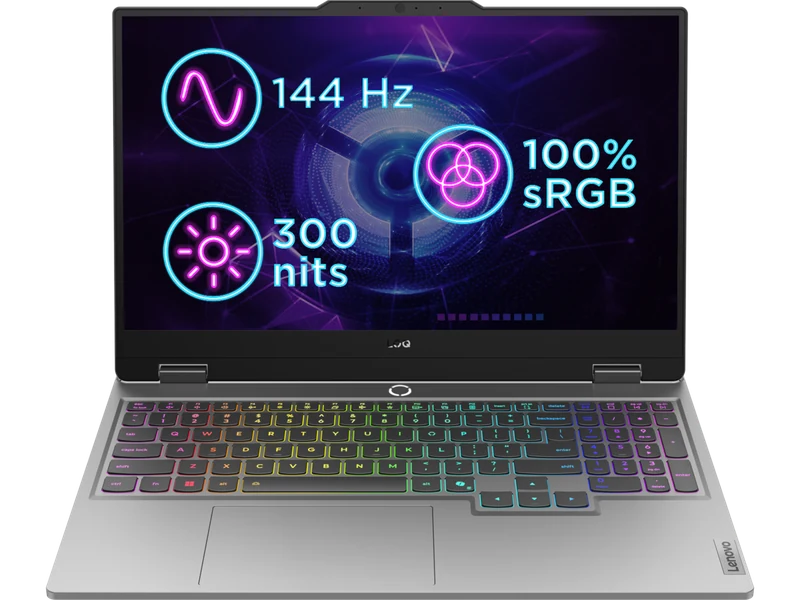
If gaming performance is your top priority on a tight budget, the LOQ 15 Gen 10 is the pick to watch. Lenovo's thermal management keeps the RTX 5060 cooler than many competing budget machines, which translates to more sustained GPU performance during long gaming sessions. Battery life is shorter than the TUF A15 (3.5–4 hours vs 9 hours) — this is a gaming-first, class-second machine.
- Strong value when discounted
- Best thermals in the budget tier
- Upgradeable RAM and SSD
- Lenovo reliability track record
- 3.5–4hr battery — needs a charger for long days
- 62% sRGB display — washed out colours
- Gaming-first design (not subtle)
3. Best Display: ASUS TUF Gaming A16
The TUF Gaming A16 costs $150 more than the TUF A15 but upgrades to a 16-inch 1920×1200 165Hz IPS panel — noticeably better for both class notes and gaming. The 90Wh battery still delivers 7+ hours. MIL-SPEC construction. For students who spend significant time writing essays, editing photos, or doing anything display-intensive alongside gaming, the 1200p panel is worth the premium.
- 1920×1200 — wider aspect ratio, more screen for notes/code
- 165Hz — smoother than 144Hz competitors
- MIL-SPEC build
- Better display than anything else at this price
- $150 more than TUF A15
- AMD Ryzen AI 7 360 — slightly weaker single-core
Budget Comparison — What You Get at Each Price
| Laptop | Price | Battery | Weight | Display | Best For |
|---|---|---|---|---|---|
| Lenovo LOQ 15 | Check retailer | 3.5hr | 2.4kg | FHD 144Hz | Gaming first |
| ASUS TUF A15 | $1,329 | 9hr+ | 2.2kg | FHD 144Hz | All-round student |
| Gigabyte Gaming A16 | $1,337 | 3hr | 2.3kg | WUXGA 165Hz | Lowest RTX 5060 price |
| ASUS TUF A16 | $1,149 | 7hr+ | 2.2kg | 1200p 165Hz | Display + durability |
Should You Buy a Budget Gaming Laptop or Wait?
RTX 50 series is newly released in early 2026 and prices will drop 10–15% over the coming year as supply normalises. If you need a laptop now for university, buy now — the RTX 5060's gaming performance is strong enough to last 3–4 years. If your current laptop is functional and your start date is autumn 2026, waiting until August–September for back-to-school sales could save you $100–200.