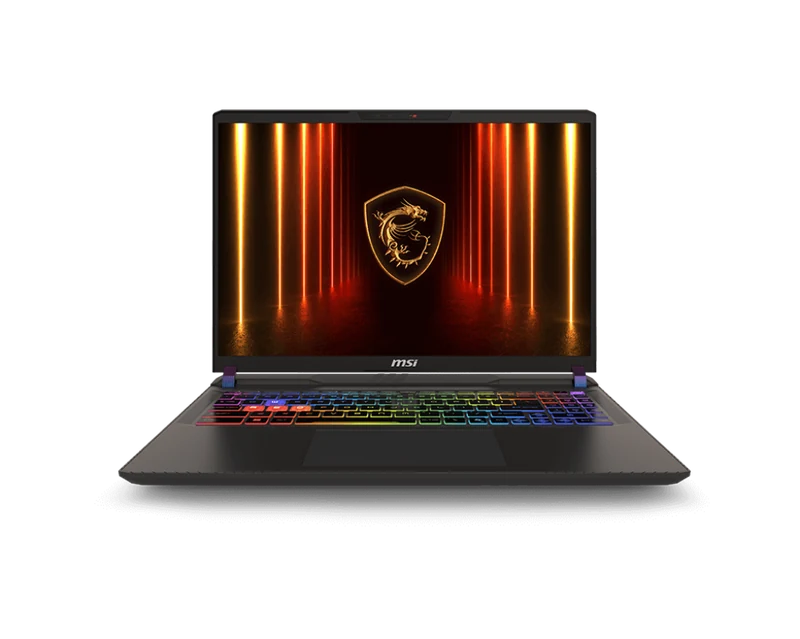
Overview
The MSI Vector 16 HX AI sits between MSI's own Raider 18 (larger, heavier, higher TGP) and the mid-range Katana lineup. It answers a real question: can you get close to Raider 18 performance in a machine that actually fits in a bag?
The answer is mostly yes. The RTX 5080 at 150W delivers around 88% of the performance you would get from the same GPU at 175W in larger machines. For 1440p gaming this is effectively invisible — you will still be GPU-limited at the display's 240Hz cap in most titles. The gap only becomes apparent at 4K with ray tracing pushed to maximum.
At approximately $2,647–2,499 depending on configuration, the Vector 16 is priced below the SCAR 18 and Raider 18 while offering competitive RTX 5080 performance. It is one of the best-value ways to get an RTX 5080 in a portable package in 2026.
Full Specifications
| GPU | NVIDIA GeForce RTX 5080 16GB GDDR7 — 150W TGP |
| CPU | Intel Core Ultra 9 285HX (24-core, up to 5.3GHz) |
| RAM | 32GB DDR5-5600 (upgradeable to 64GB) |
| Storage | 1TB PCIe Gen5 NVMe (2x M.2 slots available) |
| Display | 16.0" QHD (2560x1600) IPS 240Hz, 500-nit, 100% DCI-P3 |
| Battery | 99.9Wh (240W power adapter) |
| Weight | 2.35kg |
| Ports | Thunderbolt 4 x2, USB-A x3, HDMI 2.1, 2.5GbE LAN, 3.5mm combo |
| Connectivity | Wi-Fi 7, Bluetooth 5.4 |
| Keyboard | Per-key RGB, 1.7mm travel |
| OS | Windows 11 Home |
Display Quality
The 16-inch QHD IPS panel at 240Hz is good but not exceptional. It covers 100% DCI-P3 and peaks at 500 nits — perfectly adequate for indoor use. Compared to the OLED panels in the Legion Pro 7i and Zephyrus G16, black levels are weaker and the image has a slight grey haze in dark scenes.
For competitive gaming at 240Hz, the IPS panel is excellent. Response time is 3ms, which is effectively imperceptible. If accurate colors and cinematic HDR are important to you, look at OLED alternatives. If frame rates and 1440p sharpness are your priority, this display delivers.
Gaming Performance and Benchmarks
The 150W RTX 5080 performs as expected — substantially faster than any RTX 5070 Ti machine and close to, but not quite at, the level of 175W RTX 5080 machines like the Legion Pro 7i.
| Game / Settings | Vector 16 (RTX 5080 150W) | Legion Pro 7i (RTX 5080 175W) |
|---|---|---|
| Cyberpunk 2077 — 1440p Ultra RT + DLSS 4 | 98 fps | 118 fps |
| Black Myth: Wukong — 1440p RT Ultra + DLSS 4 | 88 fps | 102 fps |
| Forza Horizon 5 — 1440p Extreme | 198 fps | 220 fps |
| CS2 — 1440p High | 302 fps | 338 fps |
The 12–17% performance gap versus the 175W Legion Pro 7i is real, but the Vector 16 costs $600–800 less. For 1440p gaming the practical difference is rarely visible — both machines easily exceed 60fps in the most demanding titles with DLSS 4 enabled.
Thermals — The Critical Trade-off
This is the section that determines whether the Vector 16 is the right buy for you. Fitting a 150W RTX 5080 and a 285HX CPU into a 2.35kg chassis creates a tight thermal budget. In CPU-heavy workloads (Cinebench, video encoding) while gaming simultaneously, the CPU throttles from its 5.3GHz boost down to 4.2–4.4GHz.
For gaming-only workloads, thermals are controlled. GPU stabilizes at 83°C, CPU at 88°C, and there is no meaningful throttling. Fan noise peaks at 48dB in Extreme Performance mode — audible, but quieter than the SCAR 18.
If you are a content creator who needs the CPU and GPU running at peak simultaneously, the SCAR 18 or Raider 18 with their larger thermal envelopes are the right choice. For gaming-first use, the Vector 16's thermals are entirely adequate.
Battery Life
The 99.9Wh battery is among the largest available in an RTX 5080 laptop. Gaming battery life reaches 2.5–3 hours — meaningfully better than the SCAR 18's 90Wh cell powering a higher-TGP GPU. For video streaming and productivity, 5–6 hours is achievable with the discrete GPU disabled.
The 240W adapter is a reasonable size — smaller and lighter than the SCAR 18's 330W brick — which contributes to the Vector 16's overall travel-friendliness.