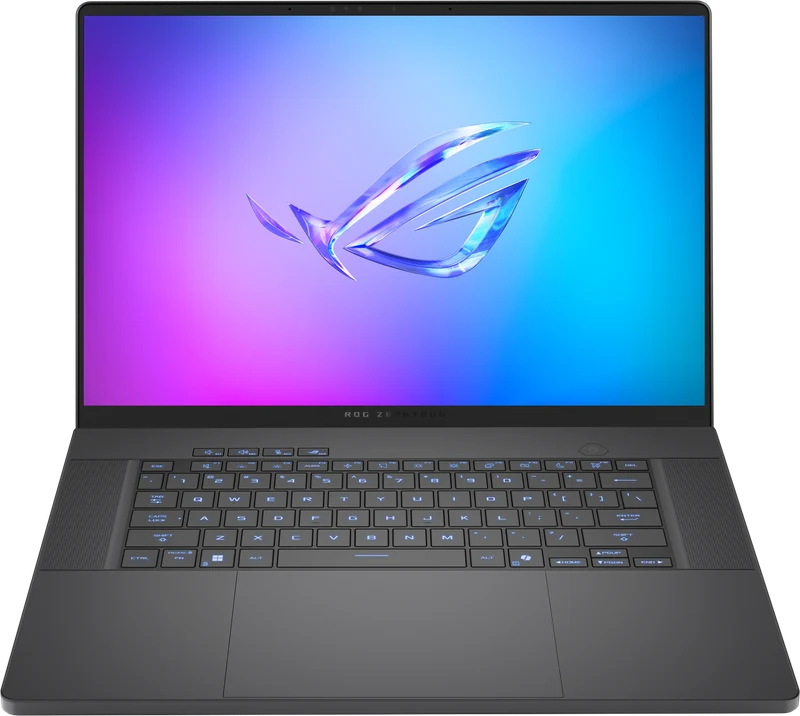
Overview
The Zephyrus G16 targets a specific buyer: someone who needs a laptop that reads as a premium ultrabook in a meeting and games at flagship level in the evening. The 2026 model is the most convincing execution of that premise yet. At 1.85kg it weighs less than most 15-inch gaming laptops. The OLED panel is the best display we have tested in any gaming laptop. The RTX 5080 at 160W delivers performance that exceeds 90% of what you will need at 1440p.
The price is the honest caveat. At $3,939 the G16 costs more than the Legion Pro 7i Gen 10 which runs the same GPU at 175W with a heavier chassis. You are paying for 650g less weight, a brighter display, and a machine that does not announce itself as a gaming laptop.
Full Specifications
| GPU | NVIDIA GeForce RTX 5080 16GB GDDR7 - 160W TGP |
| CPU | Intel Core Ultra 9 286H (16-core, up to 5.1GHz) |
| RAM | 32GB LPDDR5X-8533 (soldered - configure 32GB or 64GB at purchase) |
| Storage | 2TB PCIe Gen4 NVMe (one additional M.2 slot) |
| Display | 16.0" OLED 2.5K (2560x1600) 240Hz, 1,100-nit peak, 100% DCI-P3, 0.2ms response |
| Battery | 90Wh (240W power adapter) |
| Weight | 1.85kg |
| Ports | Thunderbolt 4 x2, USB4, USB-A x2, HDMI 2.1, 3.5mm combo |
| Connectivity | Wi-Fi 7, Bluetooth 5.4 |
| Keyboard | Per-key RGB, 1.7mm travel |
Display: Best OLED in Any Gaming Laptop
The 2026 G16's OLED panel is exceptional. At 1,100-nit peak brightness it is the brightest OLED we have measured in a gaming laptop -- most competitors peak at 500-600 nits. Combined with OLED's infinite contrast ratio, dark scenes in Alan Wake 2 and Cyberpunk 2077 look genuinely cinematic. At 2.5K (2560x1600) the pixel density is 189 PPI -- noticeably sharper than QHD at the same size.
Color coverage is 100% DCI-P3 with Delta E below 1.0 out of the box -- the most accurate factory calibration we have measured in any gaming laptop. For photo editing, video work, or color-sensitive design, this display rivals dedicated creative monitors costing $600+.
The one ongoing concern is burn-in. ASUS includes pixel shift and panel care features in Armoury Crate. At reasonable brightness levels for desktop use (below 400 nits) the risk over typical ownership periods is minimal.
Gaming Performance and Benchmarks
The RTX 5080 at 160W delivers approximately 92% of what a 175W RTX 5080 produces. In real gaming at 1440p with DLSS 4 that gap is invisible -- both configurations exceed the panel's 240Hz cap in most titles.
| Game / Settings | G16 (5080 160W) | SCAR 16 (5080 175W) | Blade 16 (5080 150W) |
|---|---|---|---|
| Cyberpunk 2077 - 1440p Ultra RT + DLSS 4 | 112 fps | 116 fps | 104 fps |
| Black Myth: Wukong - 1440p RT Ultra + DLSS 4 | 96 fps | 100 fps | 88 fps |
| Forza Horizon 5 - 1440p Extreme | 206 fps | 212 fps | 192 fps |
| CS2 - 1440p High | 318 fps | 330 fps | 295 fps |
Thermals
GPU temperature stabilizes at 84 degrees in Turbo mode -- 5 degrees warmer than the heavier SCAR 16. The 160W TGP cap is partly a thermal choice: it keeps fan noise within portable-laptop tolerances. Peak fan noise in Turbo is 46dB, quieter than the SCAR 16's 50dB. The keyboard area stays cool under all loads. In combined CPU and GPU workloads the CPU throttles -- for gaming-only use this never occurs.
Battery Life
5-7 hours of productivity with the dGPU in auto mode -- genuinely useful all-day battery for an RTX 5080 machine. Gaming drops to 2-2.5 hours. The 240W adapter is compact for this performance level. Combined chassis plus adapter carry weight is lower than most RTX 5080 competitors.
G16 vs Razer Blade 16 vs Legion Pro 7i
vs Razer Blade 16 ($3,799): Blade runs 150W vs G16's 160W -- G16 is 7-10% faster. Both have excellent OLED panels and similar weight. G16 offers better performance per dollar, a brighter display, and an extra USB-A port. G16 wins on value.
vs Legion Pro 7i ($3,939): Legion runs RTX 5080 at 175W at the same price, but weighs 650g more with a less refined aesthetic. Choose Legion Pro 7i for maximum sustained performance. Choose G16 for portability and the brighter OLED.